


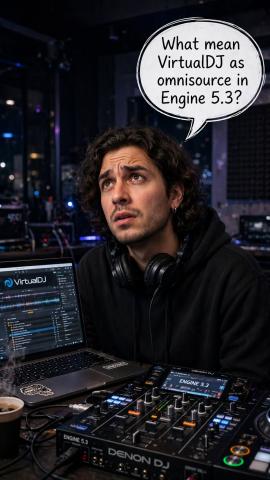
A product announcement can leave an important question unanswered: when a standalone DJ system gains VirtualDJ integration, does that mean the software now runs inside the hardware?
For the RANE SYSTEM ONE, the answer is no. VirtualDJ's documented setup requires the software on a Mac or Windows computer; the SYSTEM ONE provides hardware control. OmniSource brings that software source into a workflow alongside saved media and streaming, rather than replacing the computer with an onboard installation of VirtualDJ.[1][2]
That distinction matters. Before deciding whether an update changes your setup, understand which device is doing the work—and which equipment still needs to come to the gig.
What changed with Engine DJ 5.3?
Engine DJ's announcement dated 5 November 2026 introduces VirtualDJ support through OmniSource on the RANE SYSTEM ONE. Its release notes identify the same addition, and VirtualDJ's hardware setup guide specifies Engine OS 5.3 or later.[1][2][6]
The update relevant to this integration is therefore 5.3, not 5.0.4. If you are checking an older announcement, tutorial or firmware download, make sure its version matches the feature you are trying to use.[1][2]
This article explains the documented setup. It is not a hands-on review or a claim that every combination of computer, software and settings has been tested.
OmniSource is about sources, not installing VirtualDJ onboard
Engine DJ describes selecting VirtualDJ in the SYSTEM ONE's Source menu and mixing between DJ software, saved media and streaming sources. That is the practical meaning of this integration: software playback becomes part of the system's source-selection workflow.[1]
Think of it as choosing where the music is coming from. Selecting a different source does not mean the selected software has moved into the hardware. In VirtualDJ's instructions, you still install and open VirtualDJ on the computer.[2]
This is why two descriptions can both be true: the SYSTEM ONE offers standalone playback, and its VirtualDJ workflow needs a computer. They describe different ways of using the equipment, not a contradiction in the word 'standalone'.[1][2]
Is this wireless remote control?
The documented computer-control connection is USB. RANE's user guide identifies the rear USB To Computer port as the connection for controlling DJ software and carrying audio and MIDI between the SYSTEM ONE and a computer.[5]
Combined with VirtualDJ's computer-based setup instructions, that describes a connected controller-and-computer workflow—not evidence that VirtualDJ runs onboard or that this integration provides wireless control.[2][5]
Here is the useful distinction:
- Saved media or streaming: these are sources available alongside DJ software in the OmniSource workflow.[1]
- VirtualDJ: the application runs on the computer, with the SYSTEM ONE used to control it.[2][5]
- OmniSource: lets you select and work with the supported sources; it is not itself a replacement for the VirtualDJ application.[1][2]
The word 'integrated' can sound more dramatic than the practical arrangement. The important question is not simply whether a product supports software, but how that support is delivered.
What do you need?
For the VirtualDJ route, the documented essentials are:
- A RANE SYSTEM ONE running Engine OS 5.3 or later.[2]
- A Mac or Windows computer with VirtualDJ installed.[2]
- The USB connection between the SYSTEM ONE and computer.[5]
- A VirtualDJ Pro Infinity or Pro Subscription licence. Without one, VirtualDJ's setup guide describes ten-minute operation each time the software restarts.[2]
- On Windows, the appropriate RANE driver. VirtualDJ states that macOS does not require a separately installed driver.[2]
VirtualDJ also provides a predefined SYSTEM ONE audio configuration and factory mapping. Its setup guide walks through detection and selecting the device's audio configuration.[2]
Treat that list as a starting point, not a substitute for checking the current compatibility requirements for your own computer before updating a working gig setup.
What is the benefit for a working DJ?
The meaningful addition is the option to include VirtualDJ within the SYSTEM ONE's OmniSource workflow, alongside the other supported source types.[1]
Whether that is useful depends on your way of working. If your aim is to leave the laptop at home, do not interpret VirtualDJ integration as removing the laptop from this particular workflow. If you want to keep using VirtualDJ, the integration addresses a different need: using the SYSTEM ONE as the physical interface for computer-based software.[2][5]
Before relying on it at an event, test your own connections, audio routing and usual performance routine. An integration announcement is not a rehearsal.
The takeaway: more choice, not VirtualDJ without a computer
Engine DJ 5.3 adds VirtualDJ to OmniSource on the RANE SYSTEM ONE. It does not turn VirtualDJ into an onboard, laptop-free application: the documented VirtualDJ setup still uses a computer.[1][2]
That is the explanation worth putting ahead of the marketing language. Choose the workflow that suits your performance, and check what 'integration' actually requires before assuming it changes what goes in your equipment bag.